
The node-modal-clipboard-updates ledger updates core context records instantly to safeguard data state integrity. When engineering metadata modifications or executing structural keyword rewrites, pulling lightweight Copy Node JSON fragments feeds downstream prompt environments optimized entity context paths without introducing sitewide token processing strain.
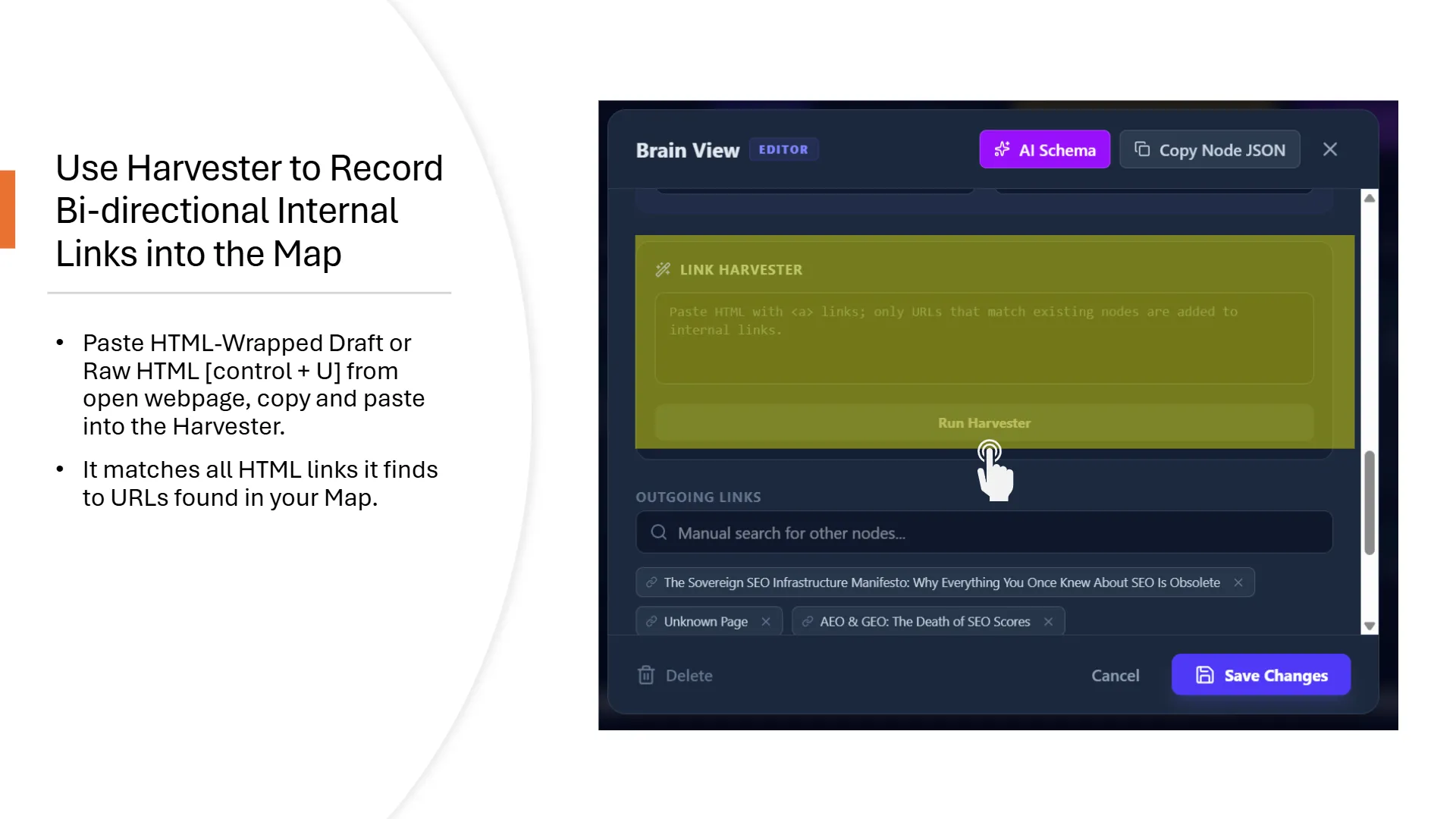 links; only URLs that match existing nodes are added to internal links.’ A mouse cursor hovers over the ‘Run Harvester’ button. Below, the ‘OUTGOING LINKS’ section displays identified internal links, including ‘The Sovereign SEO Infrastructure Manifesto: Why Everything You Once Knew About SEO Is Obsolete’ and ‘AEO & GEO: The Death of SEO Scores’, alongside ‘Delete’, ‘Cancel’, and ‘Save Changes’ buttons.” title=”slide-04″ style=”display: block; width: 100%; height: auto;”>
1. Executing Live Node Overrides and Data Syncing
Every time your team audits an active document or updates a primary keyword target, you must manually synchronize those changes back into the application graph repository. Open your target asset card from the inventory board to trigger the configuration modal window. From here, you can input fresh metadata variables, add semantic keyword entities, modify text anchor strings, or switch cluster tracks. Once adjusted, copy the step-by-step instructions hardcoded directly on the page template view and paste them straight into your specialized AI writing chat to update the layout memory.
2. Prompt Isolation via the Copy Node JSON Shortcut
To maximize inference efficiency inside third-party LLM systems (such as Perplexity or Claude), you must stop feeding them your full sitewide content manifest. At the absolute top of the individual node configuration modal, select the Copy Node JSON action button. The system backend filters out database-specific parameters (id, cluster, status, url, and internal_links) to emit a lightweight, highly dense textual snippet housing only your localized title, description vectors, and tags. Passing this targeted payload into external prompt windows provides the machine with undisputed structural alignment context while saving thousands of processing tokens.
Frequently Asked Context Questions
How do I copy and extract individual post context from the node modal interface to brief an outside AI assistant without loading my entire global topical map file?
Copy Node JSON; this runs an internal data filter that strips management fields (id, cluster, status) to generate an isolated, high-density entity object containing strictly your title, context descriptions, and semantic tag arrays.