
Configure automated semantic parsing rules using the html-wrapper-precision toolkit to completely convert plain text drafts into machine-readable HTML code blocks. By wrapping raw copy templates before running optimization algorithms, you provide internal models with an architectural spine of data formatting parameters.
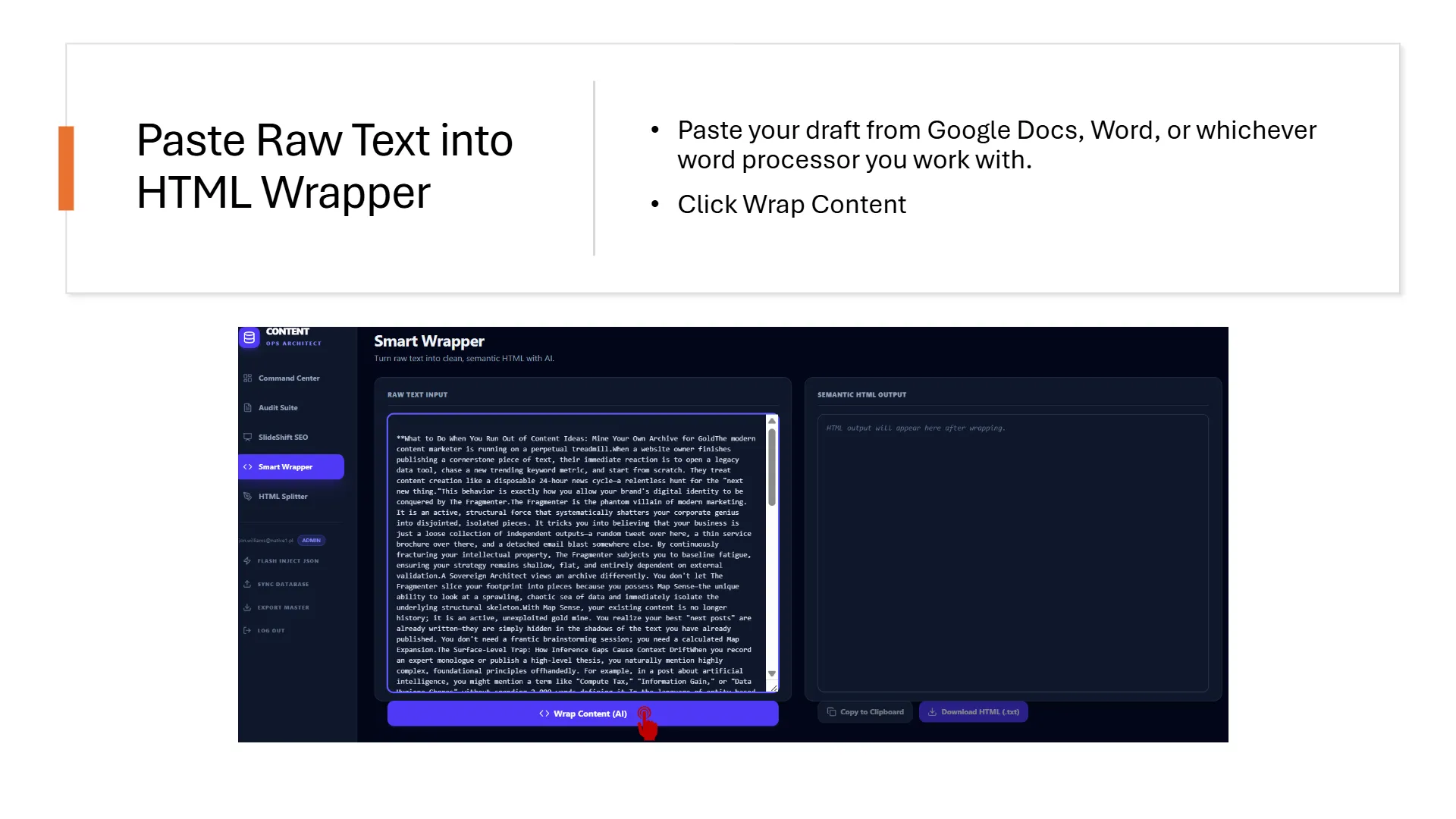
1. Injecting the Human 10% Foundation
The Miyagi operational publishing sequence mandates that everything begins with raw human expertise. Once you capture your initial monologue brief and filter it into a raw text draft, export your document to a standard workspace (like Google Docs or Word) to inject your Human 10% parameters. This is where you manually add proprietary stories, case details, and contextual examples. Do not run optimization checks on raw text; you must transition the copy into structural layout code before commanding AI systems to perform deep technical audits.
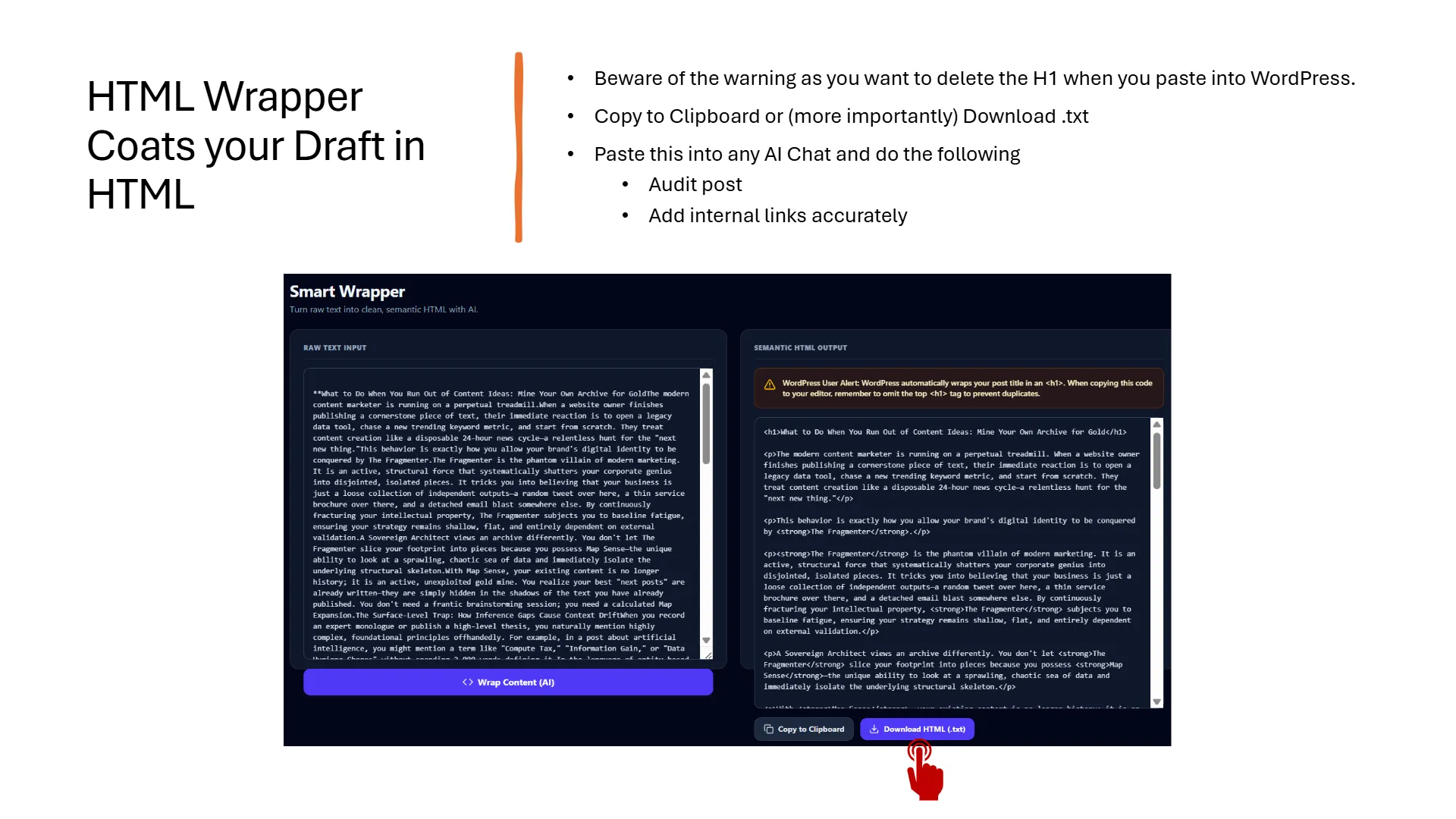
2. Precise Internal Linking via the Switchboard Map
A standard generative engine frequently misinterprets plain prose structures, inventing incorrect links or corrupting tags. ContentOps bypasses this layout friction by routing wrapped drafts through our master switchboard database. Because the text is cleanly encapsulated within precise HTML structural containers (such as paragraph loops, table rows, and ordered lists), your AI model can read the document layout without ambiguity. It maps your active topical map coordinates across the code spine, identifying conceptual entities to wire up bidirectional links automatically within minutes.
3. Automated Spine Repair and Diagnostic Refactoring
Once your wrapped draft is linked, transit the payload directly into the ContentOps Audit Suite. The parser reviews the code to calculate immediate word counts, keyword ratios within your first 100 tokens, and head spine errors. When Mission 1 outputs structural recommendations to fix broken bones, you do not rewrite paragraphs manually. Export the diagnostic refactoring brief directly back into your workspace chat, allowing the model to process the copy-paste fixes inside the underlying code stream automatically while keeping your human voice pristine.