
What Does It Mean for Content to Be Machine Readable? The Pancake Mix Answer
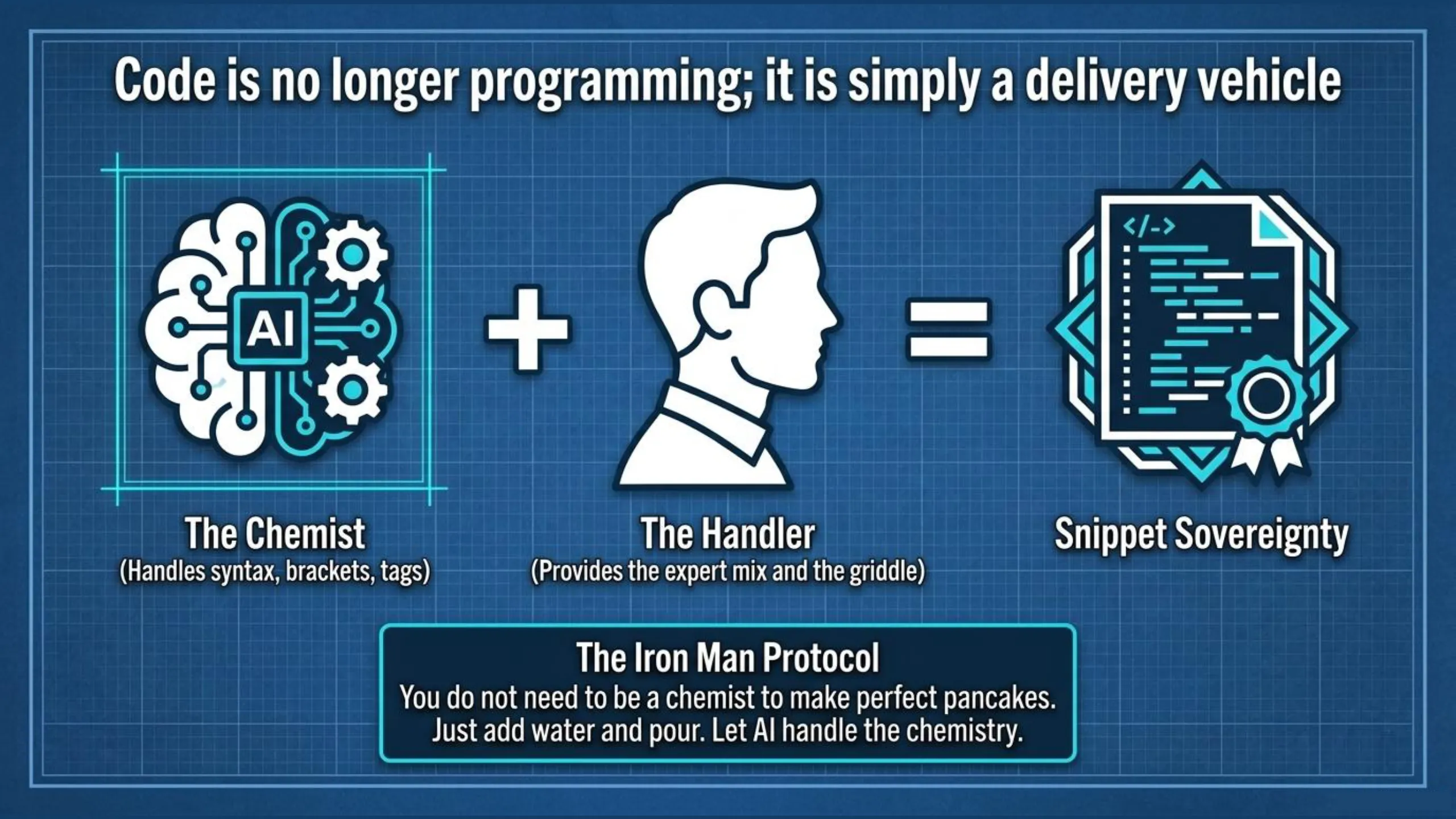
You don’t need to be a chemist to enjoy a perfect stack of pancakes. You don’t need to understand the molecular interaction of leavening agents or the pH balance of buttermilk. You just buy the mix, add water, and pour it onto the griddle. In the age of AI, Code is the new Pancake Mix. The AI is your private chemist while you are the high-level handler of the mix.
For too long, “Developer Gatekeepers” have convinced you that code is a poison pill. They sold you drag-and-drop page-builders as the solution to make content creation more accessible for non-coders. However, upon falling into this trap, you’ve fallen victim to both the Time Thief and gotten entangled in the Widget Thicket at the same time. The snail’s pace and tedious chores of the drag-and-drop workflow often take longer to format your posts than it did to write them. Meanwhile, your website has been suffering under the hood, wrestling with bloated page builders while your authority is quietly erased by the machines.
It’s time to stop building widgets and start utilizing AI-powered HTML and JSON snippets to reclaim your speed and sovereignty. This is what it means for content to be machine readable — not invisible code you need to learn, but structured HTML and JSON that you handle with AI as your chemist.
RECLAIM YOUR SOVEREIGNTY
Stop clicking buttons and start directing structure. Launch the ContentOps Command Center and handle the mix today.
The Widget Thicket: The Hidden Tax on Your Authority
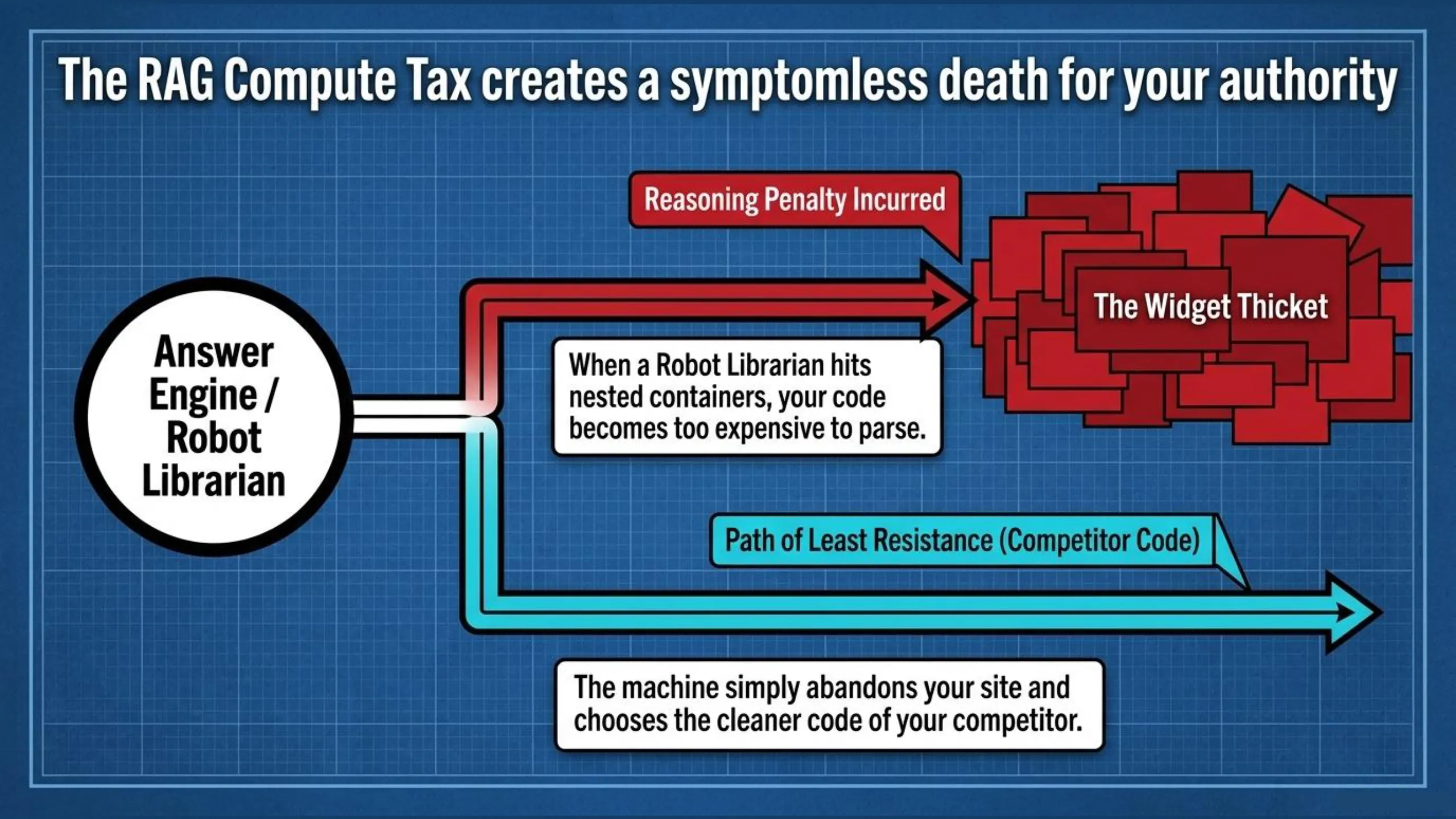
If you build your site using Elementor, Divi, or complex visual builders, you aren’t building a website; you are building a Widget Thicket. These tools are a “security blanket” for beginners, but for the expert, they are a pathogen that creates massive technical debt. They generate Div Soup—layers of unnecessary code that make your site slow for humans and unreadable for AI.
This is why an Elementor Speed Fix is rarely found in a plugin; it’s found in the architecture. This structural bloat is a primary driver of The RAG Compute Tax. When the Robot Librarian crawls your site and hits a thicket of nested containers, it incurs a reasoning penalty. In the era of Answer Engines, if your code is expensive to parse, your authority suffers from Symptomless Death. The machine chooses the path of least resistance—your competitor with cleaner code.
How Div Soup Quietly Kills Your Machine Readability
Every layer of unnecessary div containers between the crawler and your actual content increases the compute cost of reading your page. The machine is not refusing to index you — it is deprioritising you in favour of a competitor whose content costs less to extract. This is what Symptomless Death looks like at the code level: the green lights are green, the post looks polished, and the machine is quietly routing around you. The fix is not a speed plugin. It is stripping the Widget Thicket and rebuilding your post in clean semantic HTML so the machine can reach your content nodes without penalty.
Before we dismantle the Widget Thicket piece by piece, let’s get a clear diagnosis. You can use our free tool to instantly X-ray your site and see how much “Div Soup” is slowing you down.
The Kitchen Handshake: Why AI is Your Private Chemist
The Kitchen Handshake is the moment you realize that you no longer need to write code—you only need to handle it. In the past, you might have looked at a block of HTML or a JSON string as a wall of incomprehensible gibberish—a dark room you didn’t want to enter. You were intimidated because you were taught to see code as “programming.”
But when you use the Iron Man Protocol, we reframe code as the delivery vehicle for your wisdom. The AI handles the “Chemistry”—the syntax, the brackets, and the tags. You simply handle the “Mix.” This SEO JSON/HTML generator approach allows you to structure high-level infrastructure without ever touching a code editor (except to copy-and-paste). You aren’t coding; you are pouring AI HTML or JSON snippets into a waiting griddle.
The HTML Strip: Weaponizing Structure for Neo Vision
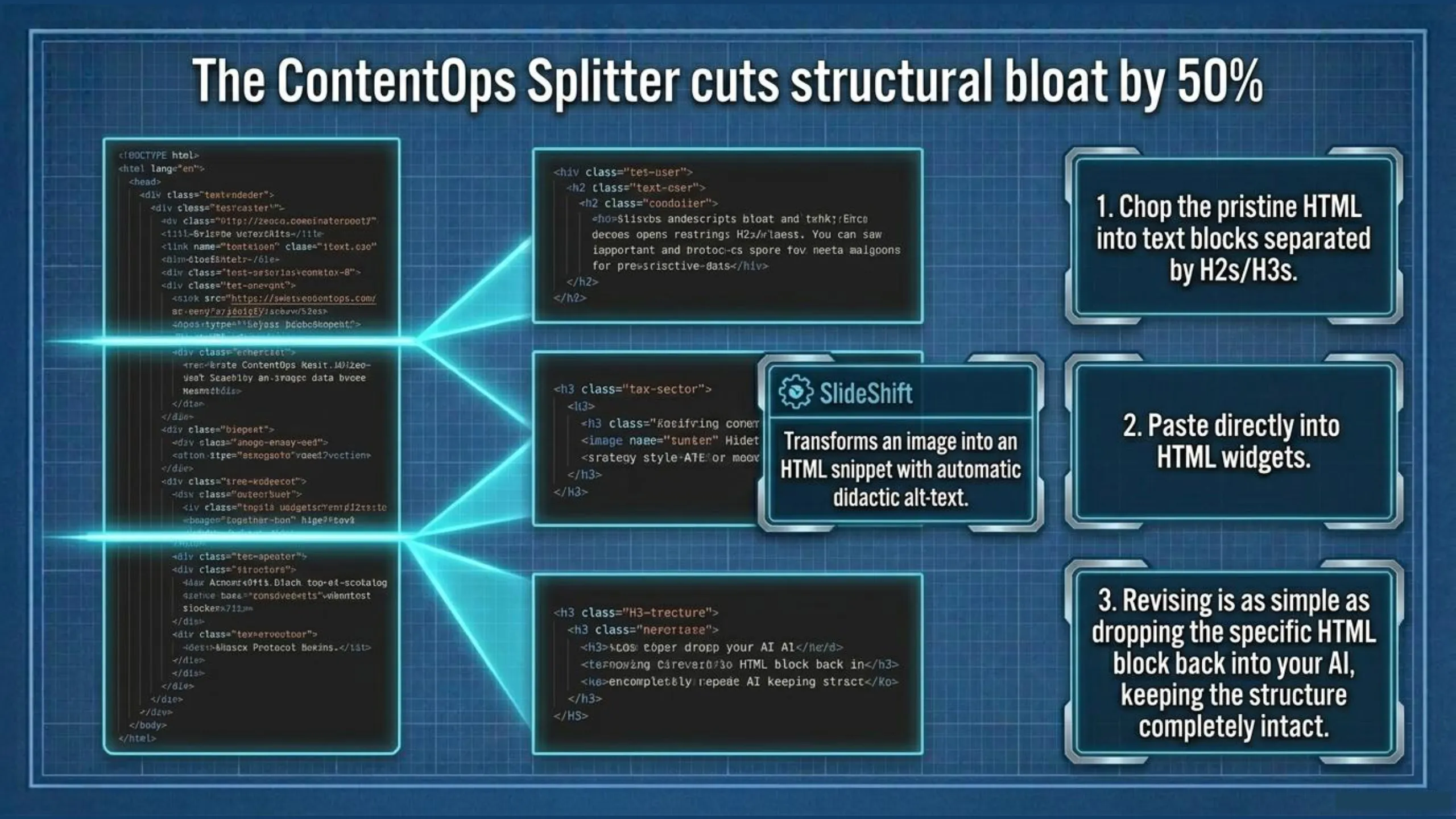
HTML is the “Spine” of your authority. In the ContentOps methodology, we use the HTML Strip to gutter the “Widget Thicket.” You do this by refactoring your post’s HTML into a clean semantic HTML block. Then you strip away the header, toggle, and text widgets that once encapsulated your post’s text. When you’re ready to republish, you use the ContentOps Splitter to chop that HTML into text blocks separated by H2s (or by H3s in case of longer H2 text blocks).
The result is you can easily reduce the bloat under the hood (the extra div containers) by 50% or more. This means faster page loading, reduced rag compute tax, and a modular assembly that’s easier to manage when it comes to future audits. If you come back a month later to add more links to that post and each text block is in an HTML Widget instead of a text one, you can easily copy the HTML in that block, paste into your AI asking it to make the revision output in the same HTML, then paste the AI’s output back into your HTML widget, overwriting the previous contents.
When your AI works with raw HTML snippets, you grant your AI Neo Vision. It can finally see the H1-H3 hierarchy with X-ray precision, allowing the AI to act as a Surgical Strategist, identify “Broken Bones” in your structure and wire your post into the Phalanx Protocol in minutes. For the non-coder, HTML is no longer a mystery—it’s the skeletal key to machine retrieval.
The JSON Switchboard: Curing Amnesia with Data Objects
If HTML is the spine, JSON is the Brain. We stop treating your brand as a collection of “text” and start treating it as a collection of Data Objects. The JSON Switchboard is your persistent “Memory Card.” By performing a topical map JSON export from ContentOps and injecting it into your sessions, you cure the “AI Amnesia” that causes generic slop and you preserve your brand voice across every writing session without re-prompting from scratch. This is JSON context injection SEO: you are switching on the Stadium Lights so the AI can maintain the “State” of your content galaxy. It is a perfect, deterministic format that tells the AI exactly who you are, what you know, and who you are fighting.

Use ContentOps to Prepare your JSON Mix
To reclaim your position as the Sovereign Architect, you must learn to handle the mix. This isn’t a coding class; it’s an operational shift. If you can copy and paste, you can build a Semantic Fortress. The process is clinical.
For starters, you need a CMS to help you encode your business logic and content plan in a non-invasive way. That’s where ContentOps comes into play. It is an app that helps you encode your content ecosystem into a structured knowledge graph. You act as the switchboard between your AI and the App.
You provide your AI the direction as the executor. Your AI provides the JSON to deliver into the app. The app exports the map as a JSON file you drop into your writing chat and like magic, its output is improved.
So is ContentOps a JSON Generator? Yes, and here’s how.
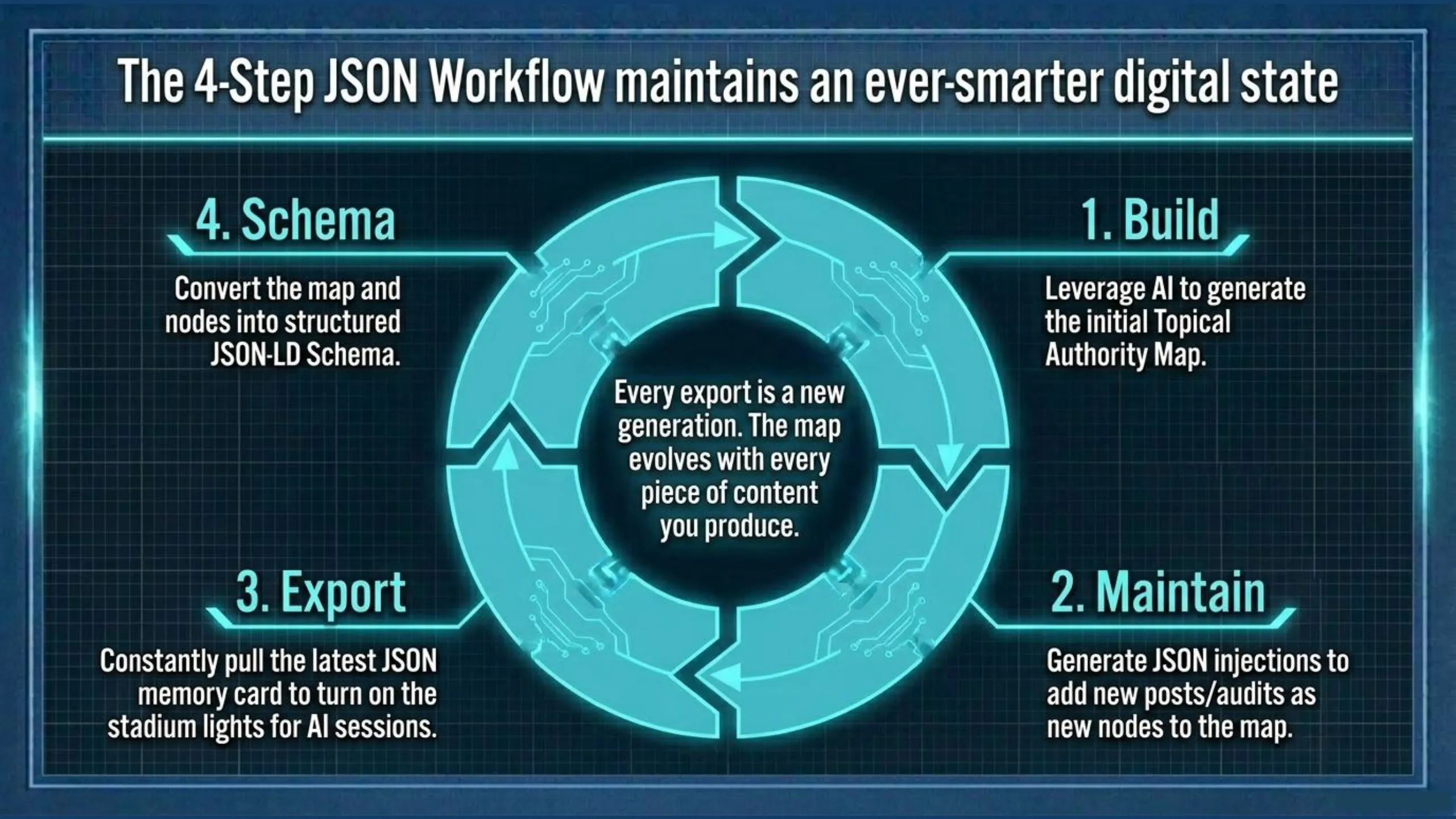
The 4-Step JSON Workflow
- Build: You’ll leverage your own AI to build the initial map (see my help center page for a full walkthrough on building your Topical Authority Map).
- Maintain: Whenever you’re making a new post or auditing a legacy post, use AI to generate JSON injections to get the new node into your map.
- Export: You’ll constantly be making new content with ContentOps, so you’ll constantly be exporting the latest version of your JSON Topical Map. That JSON file is a “memory card” for your AI that turns on the stadium lights.
- Schema: ContentOps uses AI to turn your Topical Authority Map into JSON-LD Schema for both the whole map and for individual nodes.
The app maintains your data in a JSON state so every export (node or entire map) is a JSON generation.
Use ContentOps to Prepare and Handle your HTML Mix
ContentOps wraps your raw text into HTML. As stated earlier, this gives your AI Neo Vision to fix the Broken Bones of your post (try it out for yourself with our Free HTML SEO Audit Tool). Checking your content with AI in rich text is like giving your essay to your sixth grade English teacher whereas giving AI your post in HTML is like handing a surgeon the MRI.
How the HTML Wrapper Makes Your Content Machine Readable
Once your post is wrapped, the AI can compare the HTML against your topical map with mathematical precision. It can see the heading hierarchy as a skeleton rather than inferring it from prose. It can read the anchor text as entity signals rather than guessing at relationships. It can evaluate the image alt text as content nodes rather than decorative metadata. This is the operational definition of machine-readable content: the machine reads the code, not the rendering.
From MRI to Modular Assembly
Once your post is wrapped, you can audit it in our Audit Suite where the HTML of the post and the power of the Topical Map combine. There you can do any of the following missions:
- Align the spine of your post.
- Get internal linking suggestions from your post to others in your map.
- Get internal linking suggestions from your map into the post you’re auditing.
- Get map expansion ideas to grow your topical authority from the inside out.
- Perform opposition gap analysis on a competitor’s post HTML to your map.
Additional HTML functions are the Splitter which chops your draft into manageable, modular blocks that you can copy and paste into HTML widgets in your post while SlideShift encodes your blog images into Visual Dominance by encoding automatically generated didactic alt-text into easily pastable HTML snippets.
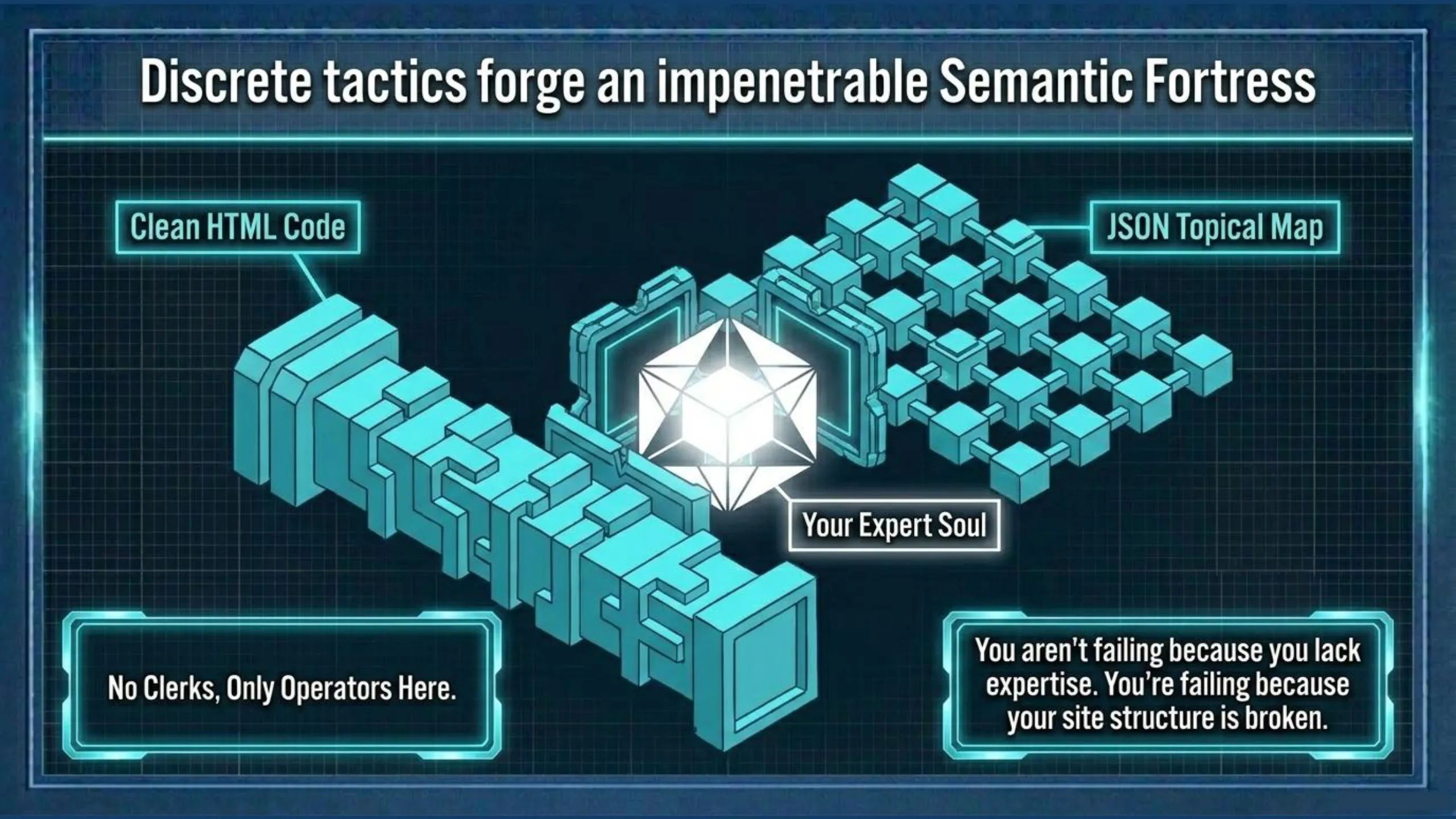
HTML and JSON are no Longer to be Feared (Except by your Competition).
FAQ: What Does It Mean for Content to Be Machine Readable?
These questions come from practitioners trying to understand why their well-written content isn’t being found, cited, or ranked by AI search engines. The answer in almost every case comes back to the same diagnosis: the machine is reading your code, not your prose.
What does it mean for content to be machine readable in digital marketing?
Machine-readable content is content that has been encoded with structure, boundaries, and hierarchy so that AI and crawlers can parse it with precision rather than inference. A machine can read raw text, but raw text is unbounded since it has no hierarchy, no declared relationships, no clear signal about which words matter more than others. Every sentence carries equal weight, which forces the AI to guess.
When you encode that text as HTML, you give the machine a skeleton. The H1 declares the primary entity. The H2s declare the sub-entities. The anchor text routes authority between nodes. The alt text on images teaches the crawler what each visual asset means in the context of the post. JSON goes further as it defines relationships between entities as key-value pairs with mathematical precision, giving the AI a map rather than a document. That is what machine-readable means – coded text instead of raw text, structured relationships instead of implied ones.
You do not need to be a coder to make your content machine readable. That is the entire point of the Pancake Mix Theory. The AI handles the chemistry. You handle the mix.
How do I convert my content into machine-readable format?
Start by wrapping your raw prose in HTML before you do anything else with it. Most workflows involve writing in a document, perfecting the text, and then manually rebuilding it inside WordPress using drag-and-drop widgets. This is the slow death that not only kills your momentum, but it also loads div soup under the hood as a side effect. Instead, wrap the prose in semantic HTML first, then drop it into the CMS parsed into separate HTML widgets. The ContentOps HTML Wrapper does this automatically because it encodes your headers, anchor text, and semantic structure into clean HTML ready for AI analysis and CMS deployment.
For your content briefs, strategy documents, brand vocabulary, and style guides, you use your AI chat to convert them to JSON rather than keeping them as PDFs, Spreadsheets, or Word documents. Any AI model — Claude, ChatGPT, Gemini — can convert a document into JSON on request. Once it is in JSON, it becomes a grounding document you can drop into writing sessions as a memory card, giving your AI a deterministic framework rather than a fuzzy text reference.
Why is machine-readable content important for SEO?
Because AI crawlers are no longer just counting keywords. They are building a knowledge graph of your domain and evaluating how confidently they can describe what you are an authority on. That evaluation happens at the code level, not the prose level.
The crawler scans the HTML spine — the H1, H2s, and H3s — to map the entity declarations in your post. It scans the anchor text to understand how your pages relate to each other. It reads the image alt text to extract meaning from your visual assets. It checks the schema to see how you have declared your content type and its relationships. If any of those signals are vague, missing, or contradictory, the machine has to infer, and inference costs compute. The harder you make the machine work to understand your post, the lower your force multiplier score and the less likely you are to be cited. That is Symptomless Death where the post looks fine, the plugin lights are green, but the machine is quietly routing around you.
What are the essential components of machine-readable web pages?
Four signals determine how clearly a machine can read your page. The header spine — your H1 through H3 hierarchy — is the primary entity declaration layer. Each header should name a specific entity, not a vague label. The anchor text on your internal links should carry semantic signal about the destination page, not generic phrases like “click here” or “read more.” The image alt text should teach the crawler what each image means in the context of the post, not just describe what it looks like. And the schema — JSON-LD embedded in the page — should declare the content type and its relationships to adjacent entities in your knowledge graph.
ContentOps covers all four of these signals in its Topical Map Manager and Audit Suite. The Broken Bones mission checks the spine. Missions two and three check the internal linking network. The Force Multiplier diagnostic scores the overall structural clarity. And the schema generation converts your topical map data into JSON-LD both globally and at individual post level with a single click.
How can I test if my website content is machine readable?
The fastest manual test is Ctrl+U on any published page. That opens the raw HTML source. Copy everything and paste it into Claude or ChatGPT and ask it to evaluate the heading hierarchy, the anchor text quality, the alt text coverage, and the schema. The AI reading the HTML will give you a structural diagnosis that the AI reading the rendered text cannot because it is seeing what the crawler sees rather than what the human sees.
The faster automated option is the ContentOps free HTML audit tool. Paste in any page’s HTML and it runs the diagnostic along with the HTML, comparing the structural signals against SEO and AEO best practices and generating a specific fix-it brief. No account required is required to run and download the diagnostic with the free tool, but you will need to log-in to get the AI-fix it brief. If you are already a ContentOps subscriber, the full Audit Suite runs the same diagnostic against your topical map with the added possibility to run the other four missions: Wire Up, Power Up, Map Expansion, and Competitor Hijack. Each mission ensures that your internal linking is optimized, your discover and add your entity gaps (also known as shadow concepts) into your publishing pipeline, and check your map against your competitors’ HTML to discover hijack opportunities.
Making Images Machine Readable: The SlideShift Protocol
Everything discussed in this post including the HTML spine, the anchor text, and the JSON structure applies to text. But most content-heavy sites are carrying a second visibility problem that the HTML audit alone will not catch, and these are image assets that are structurally invisible to the machine.
Why Your Images Are Currently Invisible to AI Crawlers
An AI crawler cannot see an image the way a human does. It reads the alt text attribute in the HTML to understand what the image contains and why it matters in the context of the post. Most alt text is either missing entirely, auto-generated as a filename like img-2847.jpg, or written as a visual description — “a woman standing in front of a whiteboard” — rather than a teaching description that explains what the image is communicating in the context of the post.
This is the difference between labelling and teaching. A label tells the machine what is in the image. Didactic alt text tells the machine what the image means — what concept it illustrates, what relationship it demonstrates, what the reader is supposed to understand from it. When your alt text teaches rather than labels, the machine can index your visual assets as content nodes rather than decorative noise. That is how images show up in Google image search and get cited in AI multimodal answers.
How SlideShift Automates Didactic Alt Text at Scale
For sites with dozens or hundreds of images — course creators, photographers, recipe bloggers, educators with slide-heavy content — writing didactic alt text manually is a significant time drag. SlideShift automates this pipeline. It takes your PDF slide decks, converts each slide into a WebP image optimised for web performance, runs a vision pass on each image using the Gemini API to extract the semantic content, and generates didactic alt text that teaches the crawler what each slide is illustrating in the context of your content brief.
The output is an HTML snippet — image URL, alt text, caption — ready to paste directly into an HTML widget in your CMS. No manual alt text writing. No file renaming. No upload-and-label workflow. The same Pancake Theory principle applies. You are the handler, the AI is the chemist, and the output is machine-readable visual content that the crawler can index and cite.
If your content relies on diagrams, charts, slide decks, or infographics to communicate expertise, those assets are currently doing zero SEO work unless their alt text is teaching the crawler what they mean. SlideShift closes that gap.
Code isn’t a poison pill; it’s your Weapon
I spent years being terrified of “breaking the site” until I realized that the widgets were the thing that was actually weighing it down. Once I embraced the pancake mix, I eliminated the Time Thief that made my workflow feel like I was dragging a ball and chain across the finish line. Procrastination vanishes when the work becomes as simple as pouring a ready-made mix into a waiting griddle.
🧱 Hindsight Insight: The Chemist’s Secret
“If I could do it all over again, I’d stop trying to be a ‘web designer’ and start being a ‘Snippet Handler.’ The AI is better at syntax than I will ever be. My job is to provide the expert cargo and the griddle. Don’t let a visual builder gatekeep your authority.”
Run an Entity Based Content Planning Audit | Initialize Your JSON Switchboard