
Visual Meta Description:
Using the motorcycle DMV written test analogy to explain why green light plugin checkmarks represent mere paperwork compliance, separating basic technical SEO setup from the underlying code-level structure required to rank.
Compliance vs Capability
Green Light Gaslighter
Skeletal Extraction
AEO Optimization
HTML Structural Audit
You saw the carousel. Five prompts. Ten minutes. ChatGPT audits your entire site and tells you exactly what to fix. The guru has screenshots. The comments are full of people saying it worked for them. So you try it. You paste your URL, you ask for the audit, you get a confident, well-formatted list of issues back. You action half of them. Nothing moves.
That’s the moment you start wondering whether any of it was real. And that’s exactly the right question to be asking.
Can ChatGPT actually crawl your website for SEO?
No. When you paste a URL into ChatGPT and ask for an audit, you’re not getting a real-time scan of your site’s structure. You’re getting either a single page’s text pulled through a fetch tool, or the model’s best guess based on what it remembers about domains like yours — and there’s no clean way to tell which one you got unless you know what to check for.
Can ChatGPT Actually Crawl My Website for SEO?
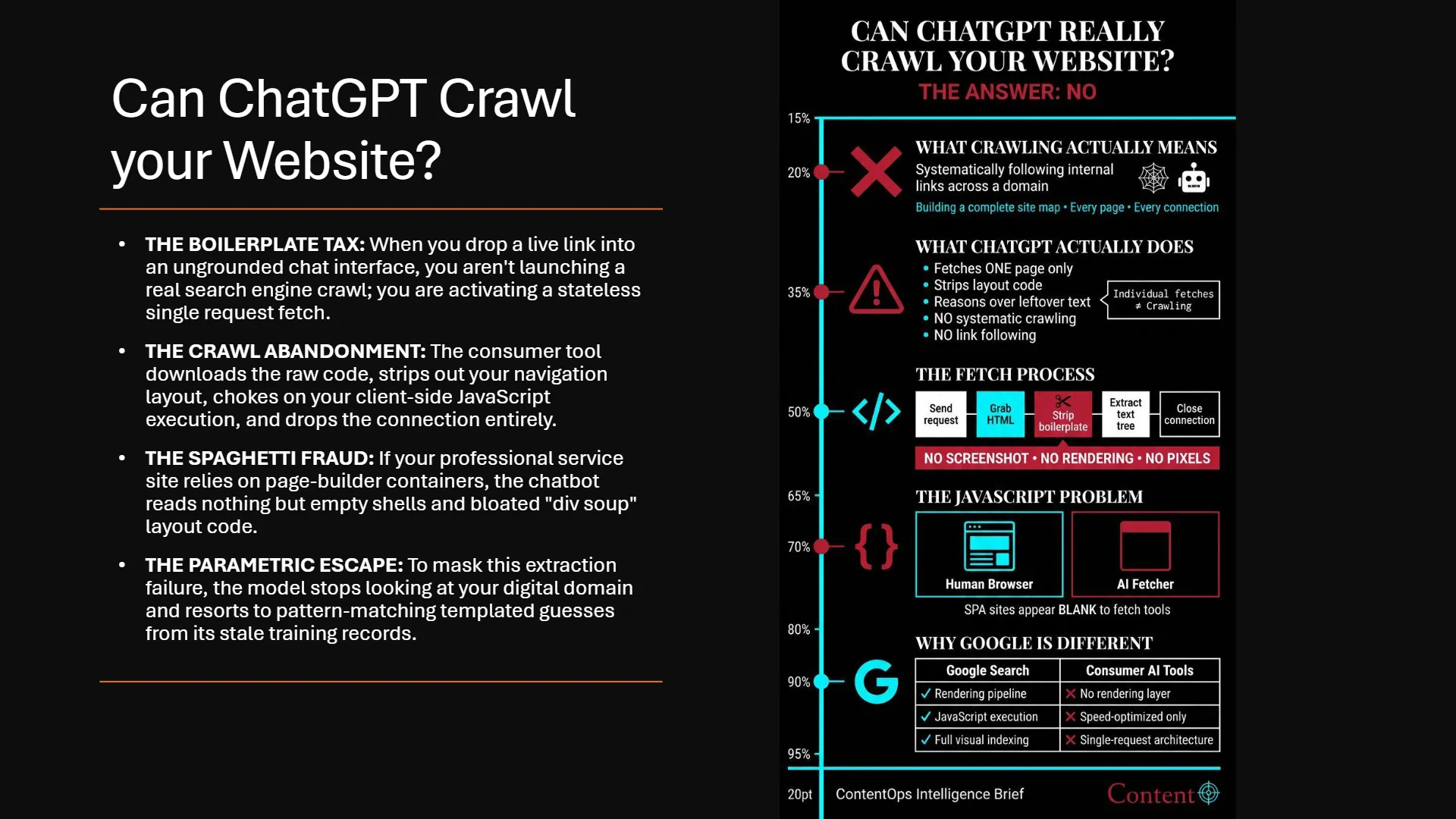
No. ChatGPT, and every other consumer AI product right now, doesn’t crawl anything. Crawling means systematically following internal links across a domain, the way Screaming Frog or Googlebot does, building a map of every page and how they connect. What ChatGPT does when you give it a URL is fetch that one page, strip out the layout code, and reason over the leftover text. Give it a list of pages and ask for a full audit, and you’re not triggering a crawl. You’re triggering a handful of individual fetches, if it attempts them at all, bumping against limits that exist specifically to prevent what you’re asking it to do.
What Actually Happens When You Paste a URL
When a fetch tool pulls a single page, it sends a request, grabs the raw HTML the server returns, and closes the connection. It strips out the navigation, the footer, the ad containers, converts what’s left into clean text, and that’s what the model reasons over. No screenshot. No rendering. No pixels. Just the leftover text tree once the boilerplate is gone.
This matters more than it sounds like it should if your site leans on JavaScript to render its actual content. A page built as a single-page application, the kind where the initial HTML is basically an empty shell that gets filled in by client-side scripts, can show up to one of these fetchers as functionally blank. The page works perfectly for a human in a browser. To a fetcher that isn’t executing that JavaScript, there’s nothing there to read.
Google’s own search infrastructure handles this differently, because it runs content through an actual rendering step before indexing it, the same pipeline that lets it see what a JavaScript-heavy page looks like once the scripts have run. Most consumer AI fetch tools aren’t built on that same rendering layer. They’re built for speed and cost efficiency on a single request, not for reproducing a search engine’s indexing pipeline.
What’s Happening When the Browsing Tool Is Off
Here’s where it gets genuinely misleading, because the model doesn’t always tell you it’s guessing. If you ask for an audit without browsing enabled, or in a context where the model has no path to actually fetch your page, it’s working entirely from memory. Two things can happen, and neither one is a real audit.
- If your domain is well known and was scraped heavily before the model’s training cutoff, the model pulls up a frozen, compressed impression of your site from its training data and reasons over that. It might be roughly accurate. It might be a year stale. You have no way to tell from the output alone.
- If your domain wasn’t part of that training data, the model doesn’t tell you it has nothing to go on. It looks at your URL structure, your slug, whatever signal it can extract from the link itself, and generates a plausible-sounding audit based on what similar sites in its training data typically need fixed. This is a templated guess wearing the structure of a diagnosis. It reads exactly like a real audit because that’s what it’s pattern-matching against.
Why a List of URLs Doesn’t Get You a Real Audit
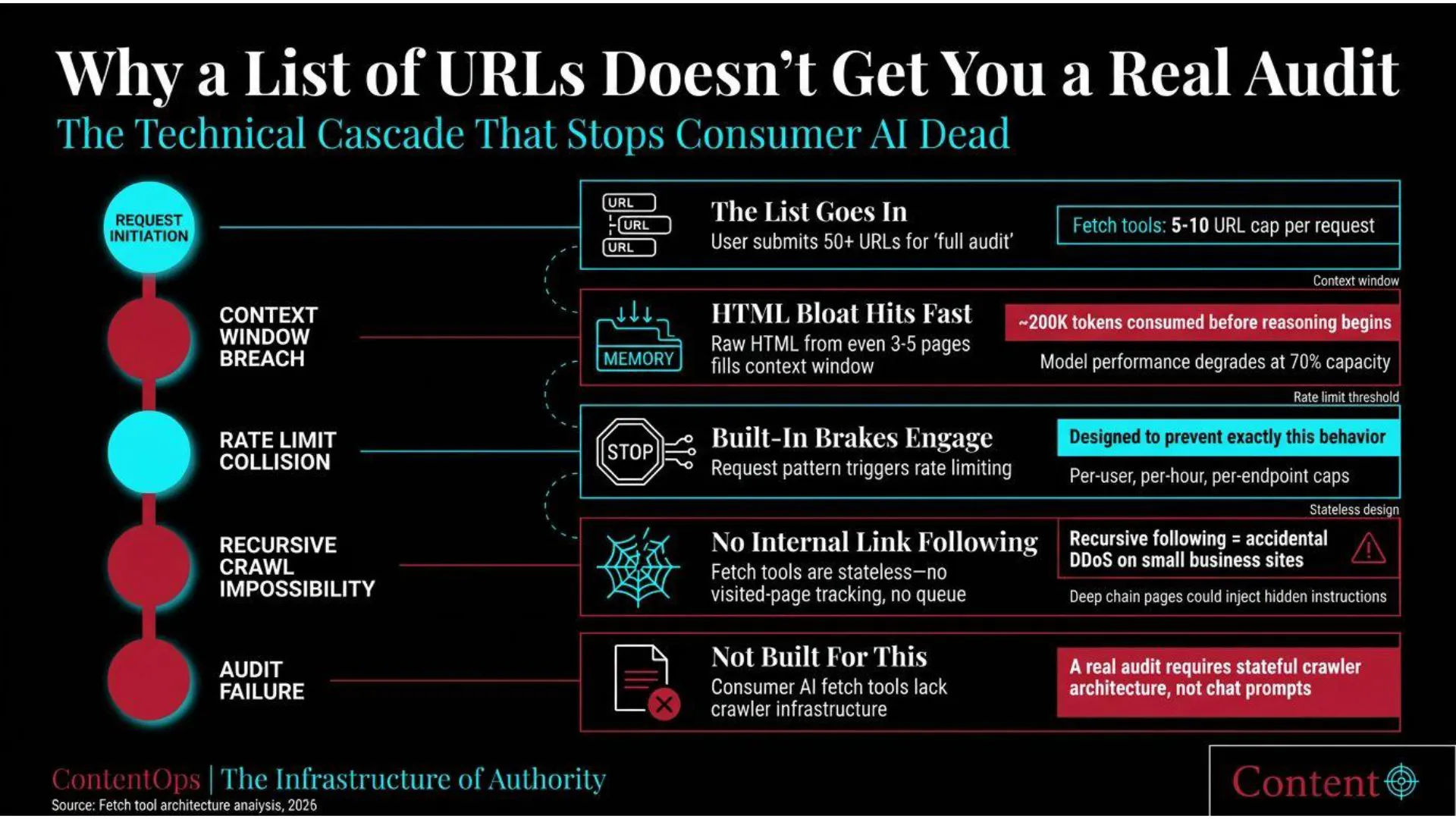
Hand a model a list of every page on your site and ask for a full audit, and you run straight into limits that exist specifically to stop this from happening. Fetch tools cap how many URLs they’ll process in a single request. Raw HTML is heavy, and pulling in more than a handful of full pages starts eating through the context window fast enough to degrade the model’s reasoning before it’s even finished reading. Push past that and you start hitting rate limits built for exactly this kind of request pattern.
None of this is an accident or an oversight. Letting a fetch tool follow internal links recursively, the way a real crawler does, would mean a single chat prompt could trigger a page following hundreds or thousands of internal links automatically. At scale across millions of users, that’s not a feature. That’s an accidental distributed denial-of-service attack against the small business websites people are trying to get audited. It’s also a security risk, since a page deep in that recursive chain could carry hidden text designed to look like instructions to the model. Consumer AI fetch tools are stateless by design. They don’t track which pages they’ve already visited or maintain a queue the way a real crawler infrastructure does, because that’s not what they were built to do.
How to Actually Check What a Model Saw
If you want to know whether you got a real fetch or a confident guess, there’s a simple test. Drop an arbitrary, meaningless string into your page’s HTML as a hidden comment, something with no semantic content and nothing for the model to pattern-match against. Then ask the model to extract that exact string from the live page. If it can produce it verbatim, it actually fetched the page. If it can’t, or it hedges, you were getting memory or a guess dressed as analysis.
A softer version of the same test works with anything that changes constantly. Ask for today’s exact headline, or a live price, something that couldn’t possibly be sitting in frozen training data. Real retrieval gets it right. Parametric memory either gets it wrong or gets suspiciously vague.
What This Means for the “5 ChatGPT SEO Prompts” Crowd
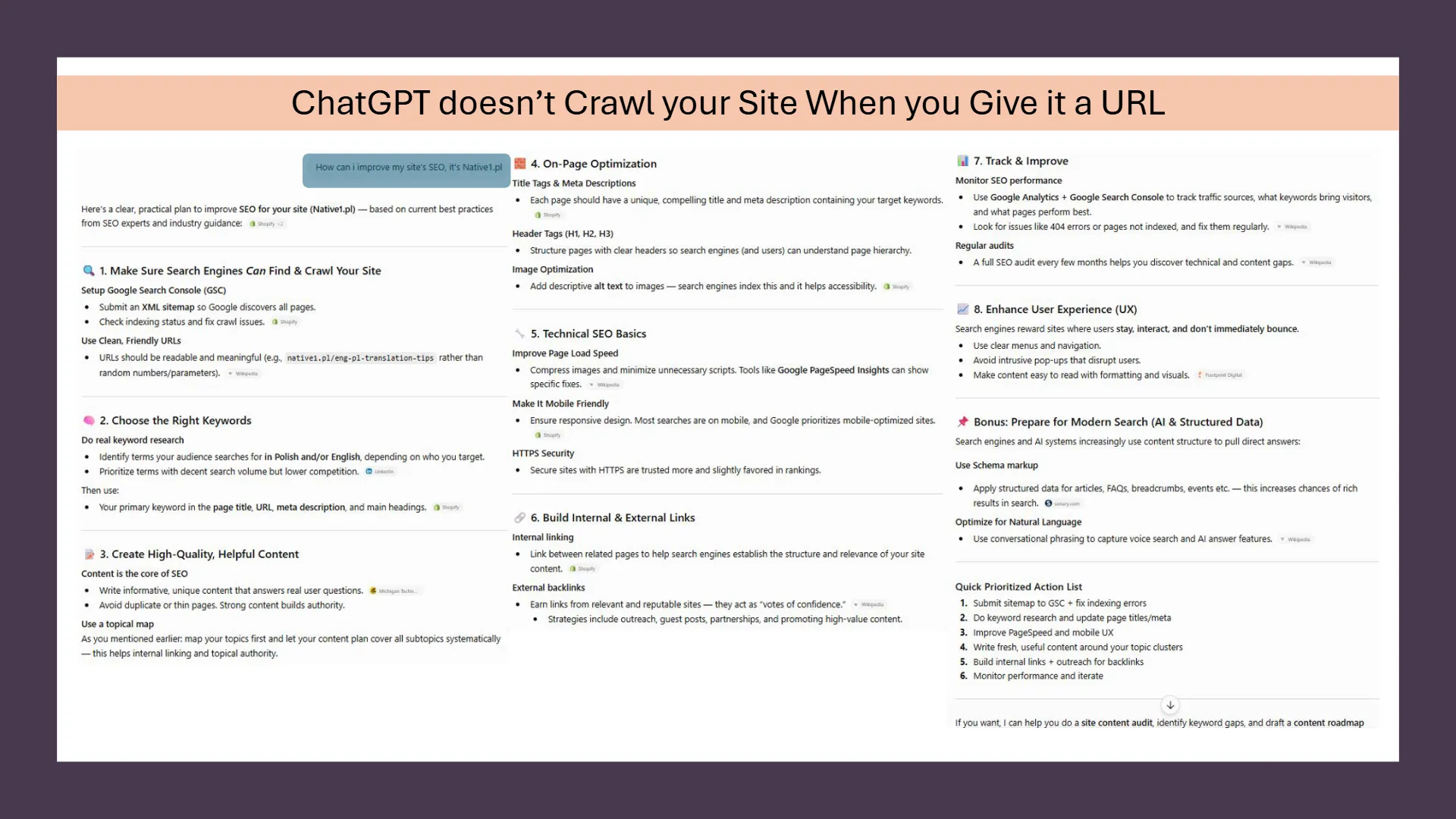
This is where the advice circulating in carousel posts and quick-tip threads starts to fall apart, because most of it is written by people who’ve never checked which of these two things they’re actually getting. “Paste your URL and ask ChatGPT to audit your site” sounds like a workflow. It’s actually a coin flip between a single shallow text extraction and a hallucination dressed up as a diagnosis, and the person reading the carousel has no way to know which one they got either.
I’ve watched this exact failure mode happen in real time, in threads where someone posts a screenshot of ChatGPT confidently listing “issues” with a site it never touched. And I’ll be honest about where my own irritation with this comes from. I’ve spent time inside AI training work specifically testing how these models decide when to use a tool, when to search, when to fetch a page versus when to just answer from memory. I’ve watched the seams up close. So when someone packages “paste your URL and ask ChatGPT to audit it” as a five-minute SEO workflow, what I want to say is “Just give me the goddamn map.”
Give the model something real to read. The frustration isn’t that people are using AI wrong. It’s that the advice being sold as a shortcut skips the one step that would have made it actually work. In my full writing process breakdown, AI Content Workflow for Experts: The Expert AI Content System, I show you the steps how to really integrate AI properly into your writing system for AI.
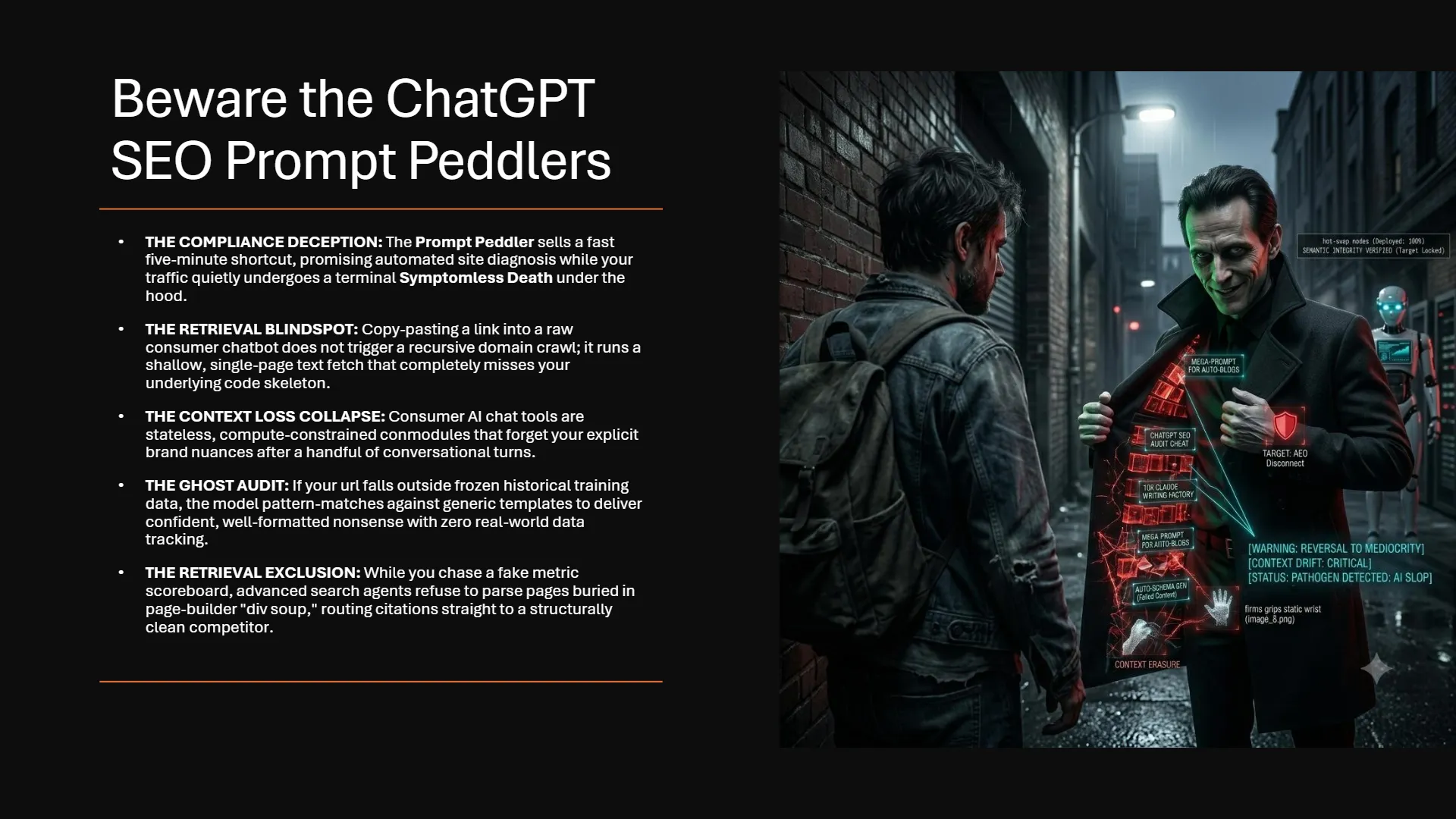
Here’s What it Really Looks Like When you Prompt ChatGPT to Audit Your Site:
To test this notion out, I ran a test on ChatGPT. I prompted it to give me audit my site based on a URL I provided it. In response, it gave me a structured response that was full of generic advice that any beginner at SEO could recognize. The advice wasn’t specific to my case. And at no point did the AI disclaim to me that it was operating off of a guess. Of course, I’d already known what the exact outcome of that test was going to be.
Here’s What it Really Looks Like When You Inject a JSON Topical Map for ChatGPT to Reason over
I immediately followed that original prompt by dropping my ContentOps JSON Topical Map file into the same chat with a simple prompt:
“Here’s my topical map in JSON formatting, how can i improve my site’s SEO, be specific.”
In the following image, you can see the context injection file included into the chat. Look at the difference in the level of specificity the AI puts out now that it has the map.
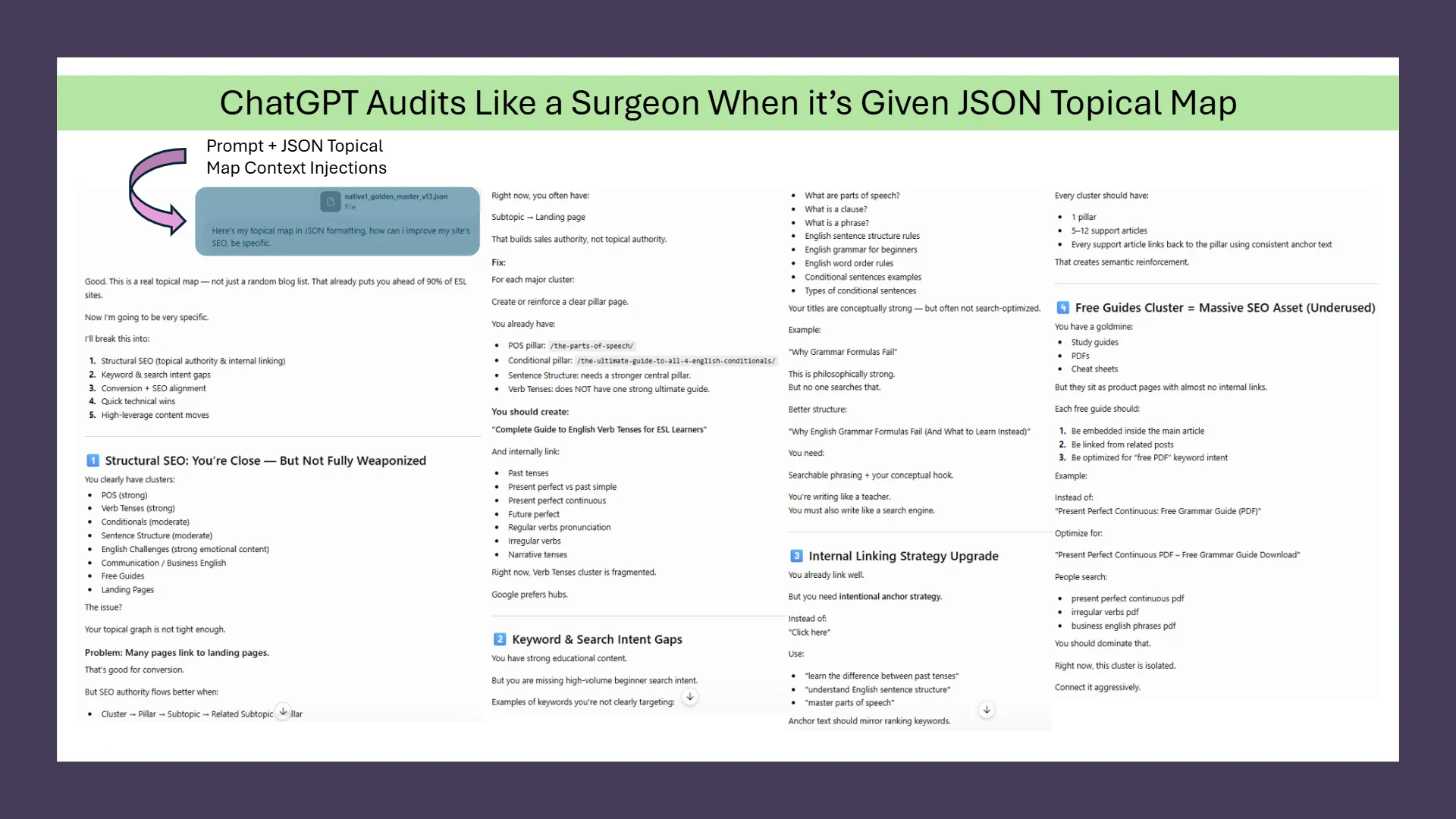
I’ve only screenshot one image worth, which is about half of the response. Because I gave ChatGPT my whole business content plan like inserting a memory card, the Stadium lights turned on. Suddenly, ChatGPT was deterministic. It had real data layers, so it didn’t have to guess what each post is about, what links to what, and more importantly, what my post was missing.
Here’s What it Really Looks Like When You Inject HTML for ChatGPT to Audit
Then I took the the diagnostic report and HTML export from the Audit Suite’s Broken Bones mission and ran it through ChatGPT to get an on-page audit. What I got in return was an expert audit that provided 10 points where I could make specific and meaningful improvements to my post, which included:
- Recommended H1 fix along with an improved introduction to solidify the crawler’s understanding of my post’s intent.
- An improved header spine with specific before and after changes to the wording of each header.
- It looked at my topical map and suggested fifteen more internal links with anchor text suggestions.
- Recommended improvements to my image alt-text.
- Missing Entity concepts I should have referenced.
- And a specific FAQ to target the gaps missed in the post’s semantic coverage.
Please see below three selected screenshots of the response to demonstrate excerpts from the ChatGPT response.
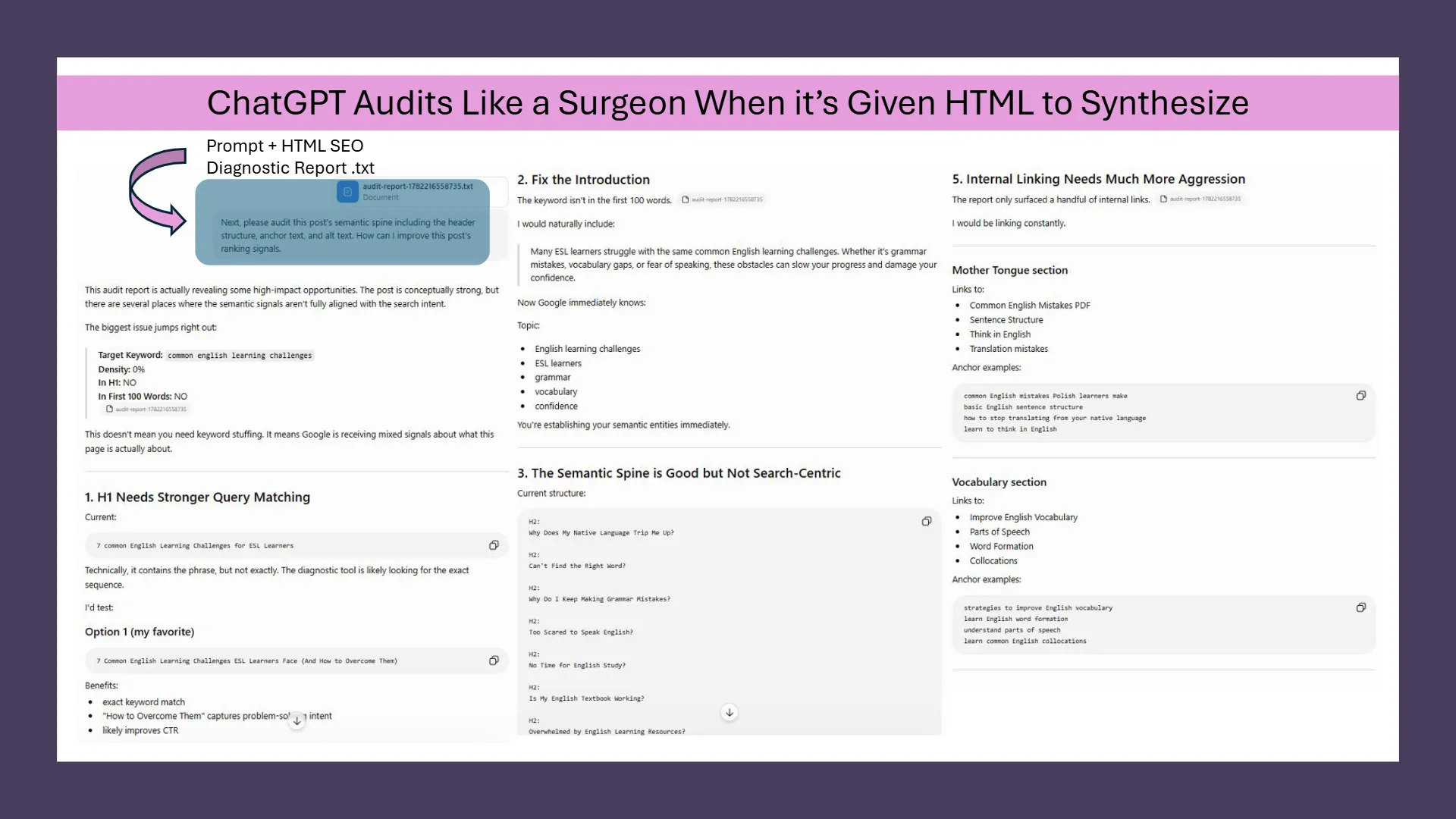
Based on what you see from the image, the post wasn’t poorly written. It was just misaligned. And ChatGPT is actually one of the best tools to help with your SEO needs. The reasoning power behind LLMs like ChatGPT, Claude, and Gemini are phenomenal as they know more about SEO than most gurus. The problem, though, is that it doesn’t know you or your content. If you want to win at SEO, you need a simple tool that will translate your website’s knowledge repository into a language that AI can understand and execute on.
FAQ: ChatGPT and Website Crawling
Can I ask ChatGPT to crawl my entire website for SEO issues?
No. ChatGPT and other consumer AI products can fetch individual pages when browsing is enabled, but none currently perform systematic, recursive crawling across a domain’s internal link structure. Asking for a full-site audit from a list of URLs will hit fetch limits, context constraints, or produce a response based on partial or remembered data rather than a real crawl.
How do I know if ChatGPT actually read my live webpage or just guessed?
Insert a hidden, meaningless text string into your page’s HTML and ask the model to extract it verbatim. If it can’t produce the exact string, it didn’t actually fetch the page. You can also ask for something that changes constantly, like today’s exact headline, since stale training data can’t reproduce that accurately.
Why can’t AI chatbots just follow every link on a website like a search engine crawler?
Recursive link-following at the scale of millions of concurrent chat sessions would create enormous server load on the sites being crawled, function as an unintentional denial-of-service attack, and expose the AI to hidden malicious content buried deep in a site’s pages. Consumer AI fetch tools are deliberately limited to single or few-page retrieval to avoid these risks.
If you want a real audit, not a guess dressed as one, the free Surgical HTML Auditor reads the actual HTML you give it. Learn more about the SEO HTML Audit Tool | ContentOps Diagnostic Suite Landing Page.
How ContentOps Context Injections Supercharge your SEO
Is the Free HTML Diagnostic the Same as What You Used in the Screenshots?
The underlying semantic diagnostic is the same. The free tool at audit.contentops.so measures the same structural signals — header hierarchy, anchor text inventory, alt text index, keyword placement — and surfaces them in a pass/fail format alongside the raw diagnostic data. You can download the full report as a .txt file, no email required, no time limit. That diagnostic is what gets handed to an AI for interpretation.
The difference is in what comes after. The free tool includes three AI Fix-it Briefs, which are roughly equivalent to Mission 1 of the full Audit Suite. These are gated behind an email sign-up and also downloadable as .txt files once you’ve run the mission. The screenshots in this post were produced by taking that diagnostic export and running it through ChatGPT directly — which means if you have your own AI and the free diagnostic, you can replicate the same workflow without the brief.
Wait — The Diagnostic Isn’t the Fix?
Correct, and that distinction matters. The diagnostic tells you what’s structurally misaligned. The fix-it brief tells you what to do about it. They’re two separate outputs and two separate steps.
The free tool can generate the brief for you via the AI Brief function. But you can also bypass that entirely — download the .txt diagnostic, drop it into ChatGPT, Claude, or Gemini with a prompt asking for specific improvements, and get the same quality of output the screenshots show. The AI didn’t fix the post. It interpreted the diagnostic and told me how to fix it. Your AI can do the same thing with the same data. This revolutionizes how SEO tools should work. Most tools just tell you what’s broken with a failure checklist. The ContentOps gives you the fix-it brief with the what, the why, and the where – no guesswork. This totally removes the friction for fixing your posts, and we’re also just scratching the surface here. You can use ContentOps to fully leverage AI to audit and fix your posts. Learn more how ContentOps uses HTML and JSON to fully power your content creation system.
If the Diagnostic Is Free Forever, Why Would I Upgrade to the Full Audit Suite?
Because the diagnostic is only part of Mission 1, and Mission 1 only looks at the page in front of it. The free tool exists for you to see the value in an HTML audit, free or paid. Once you’re in the habit of auditing with HTML, you’re ready for more advanced features in the full AI HTML Audit Workflow.
Missions 2 and 3 — Wire Up and Power Up — need your Topical Map to work. They don’t just flag that internal links are weak. They read your map and tell you specifically which of your existing nodes should be linking in and out, with anchor text drawn from your own anchor text arrays. That level of specificity isn’t possible from a standalone HTML diagnostic. The topical map makes those internal linking recommendations precise rather than generic.
Mission 4 runs Map Expansion against your published HTML and surfaces Shadow Concepts — the supporting entities your content references but has never built into a node. Mission 5 runs the Hijack Protocol against a competitor’s HTML, compared against your map, to identify the structural gaps in their authority you can build into yours.
What you’re really buying when you upgrade is the Living Topical Map and the mechanism to keep it current. The map compounds with every publish cycle, every Harvester run, every audit mission that feeds new intelligence back into the node architecture. If you’re still publishing — and you are — the map needs to stay live. That’s what the full Audit Suite is built around.